To fix time difference issues & to deliver orders more efficiently on Translayte, we have added the Time zone feature to the Translayte platform.
It is compulsory for everyone (Translayte team, Vendors & Customers) to update the accurate Time zone on our profile.
Also, if you relocate, you are expected to update the new Time zone of your new location accordingly.
Vendor & Project managers are expected to frequently remind vendors to update their Time zones with the right information.
The 4 Steps below will guide you through the information you need to update your Time zone.
How to Update Time zone in 4 easy steps
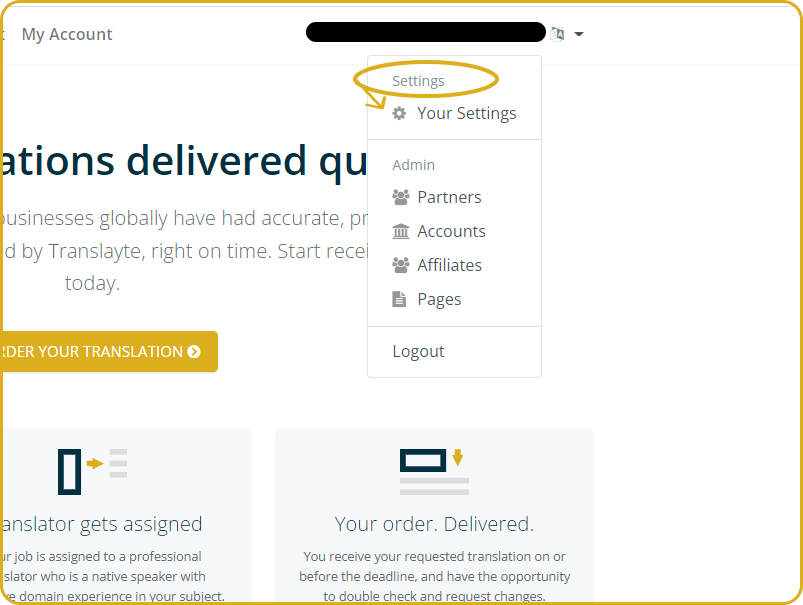
- Log in to your Translayte account & select "Your Settings" from the Menu
- Under the "User details" section, select current country & Time zone
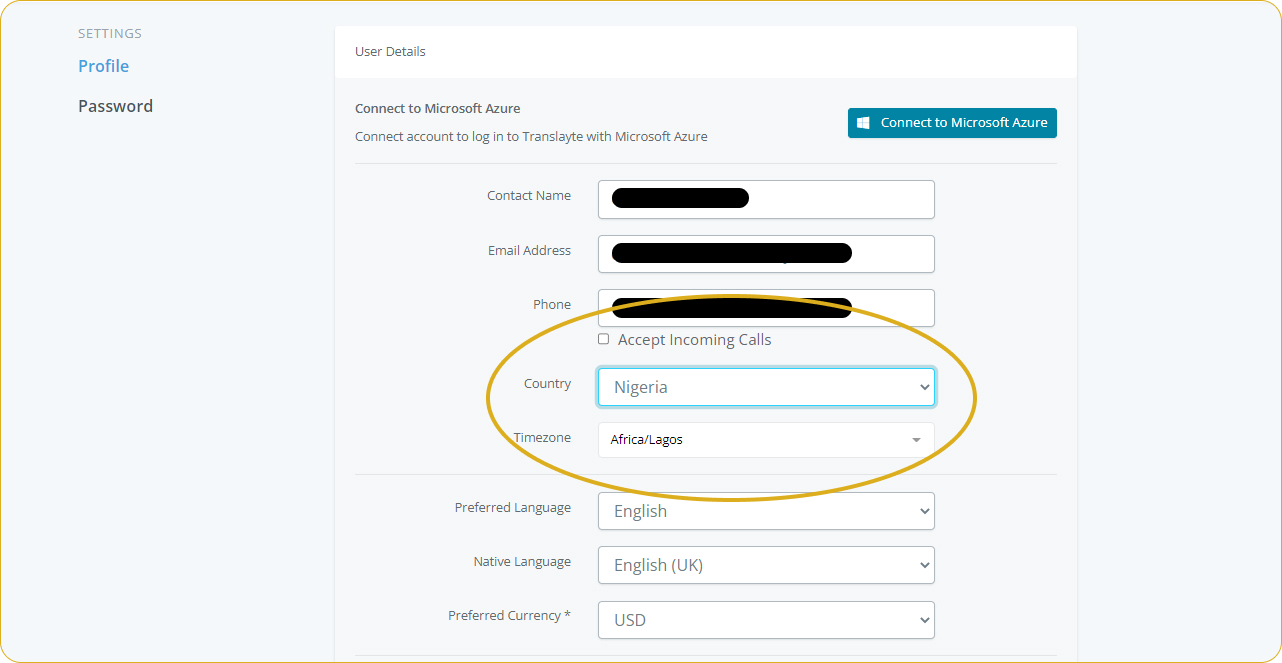
Note: if you are not sure of your current Time zone, you can search on google for the Time zone in your current country/location.
- Cross check all other "User details" again, then make your account "Active" using the toggle below, if it is not.
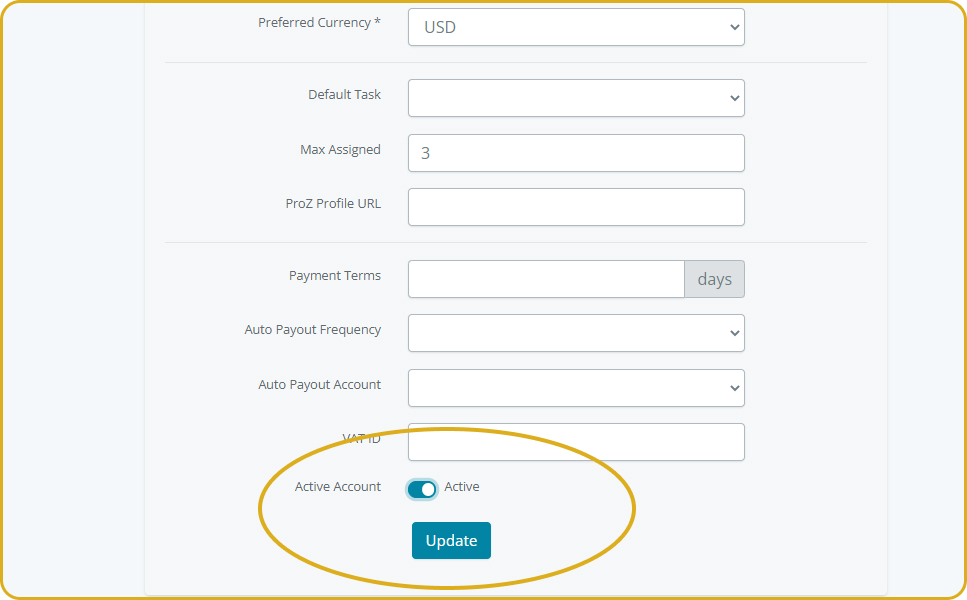
- Click on "Update"
Done !