Overview
The Anyone Can Refer program enables existing Individual Users and Business Accounts on Translayte to share the platform’s services and earn rewards for completed referrals.
Accessing the Referral Feature
The referral feature can be accessed through three methods:
On the Translayte Platform:
Navigate to Profile Settings → Referral Feature
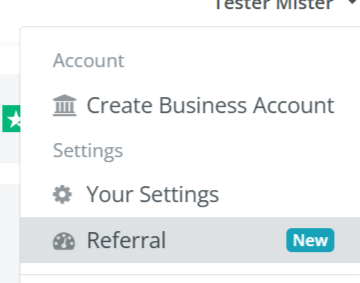
Via Email Notification:
Click the referral link in the email and get redirected to the Referrals page.
Direct Link:
Visit translayte.com/referrals
The Referral Process (Step-by-Step)
1. Generating and Sharing a Referral Link
Go to the Referral Feature section.
Copy the unique referral link.
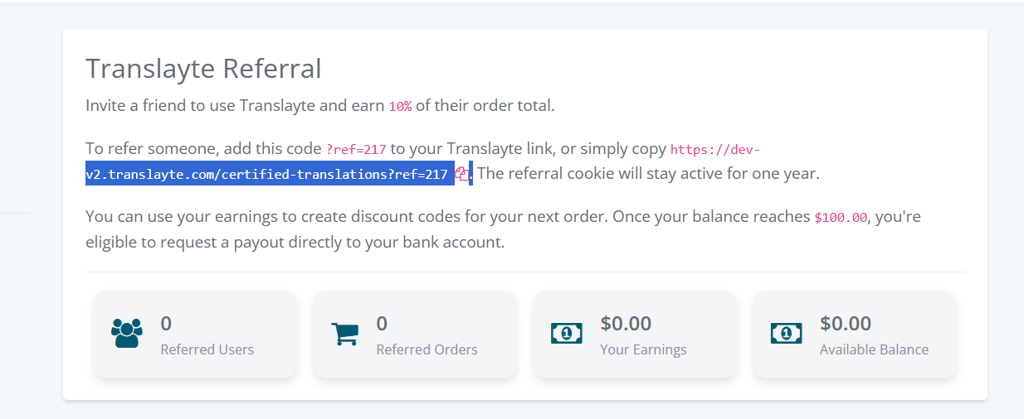
Share with friends, colleagues, or business contacts via email, social media, or direct messaging.
2. Converting Earnings to a Discount Code
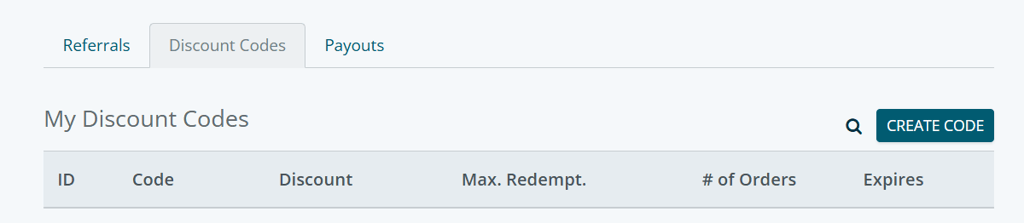
If the referral earnings balance is below $100, you can generate a discount code to use for personal orders.
Go to Create Code, input the related tasks to generate a Unique code you can apply at checkout when placing an order.
3. Requesting a Payout
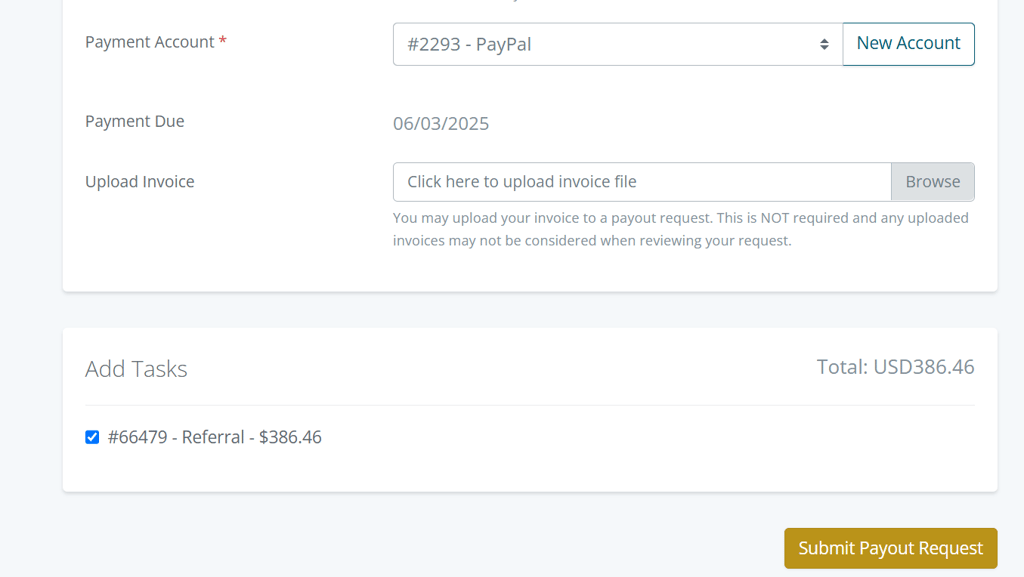
If the referral earnings balance is $100 or more, you can withdraw your funds.
Click on Request Payout, select a Payment Account type, enter your PayPal ID or bank details.
Add related tasks completed, with corresponding amount, and submit payout request to proceed with the withdrawal request. See terms of Payout.
4. Tracking Your Referral Earnings
Access your Referral Dashboard to monitor:
Total referred users
Completed orders from referrals
Total earnings
Available balance per Time

If you have any questions, contact [email protected]
The more users you refer, the more your earnings.
Promote your referral link through multiple channels to increase conversion.
Start referring today and earn rewards with Translayte!